
English
Book a demo

FitBase Click

The client checks in at the entrance. The administrator doesn't mark anyone by hand, no queue builds at the front desk, and attendance finally matches reality.

How the check-in works
  1. The client opens the app The dynamic QR code refreshes itself
  2. Holds it to the reader The Sigur or Akuvox turnstile opens One second
  3. The visit is recorded It lands in the profile and in the reports
  4. The trainer sees attendance Trainer pay is calculated from actual visits
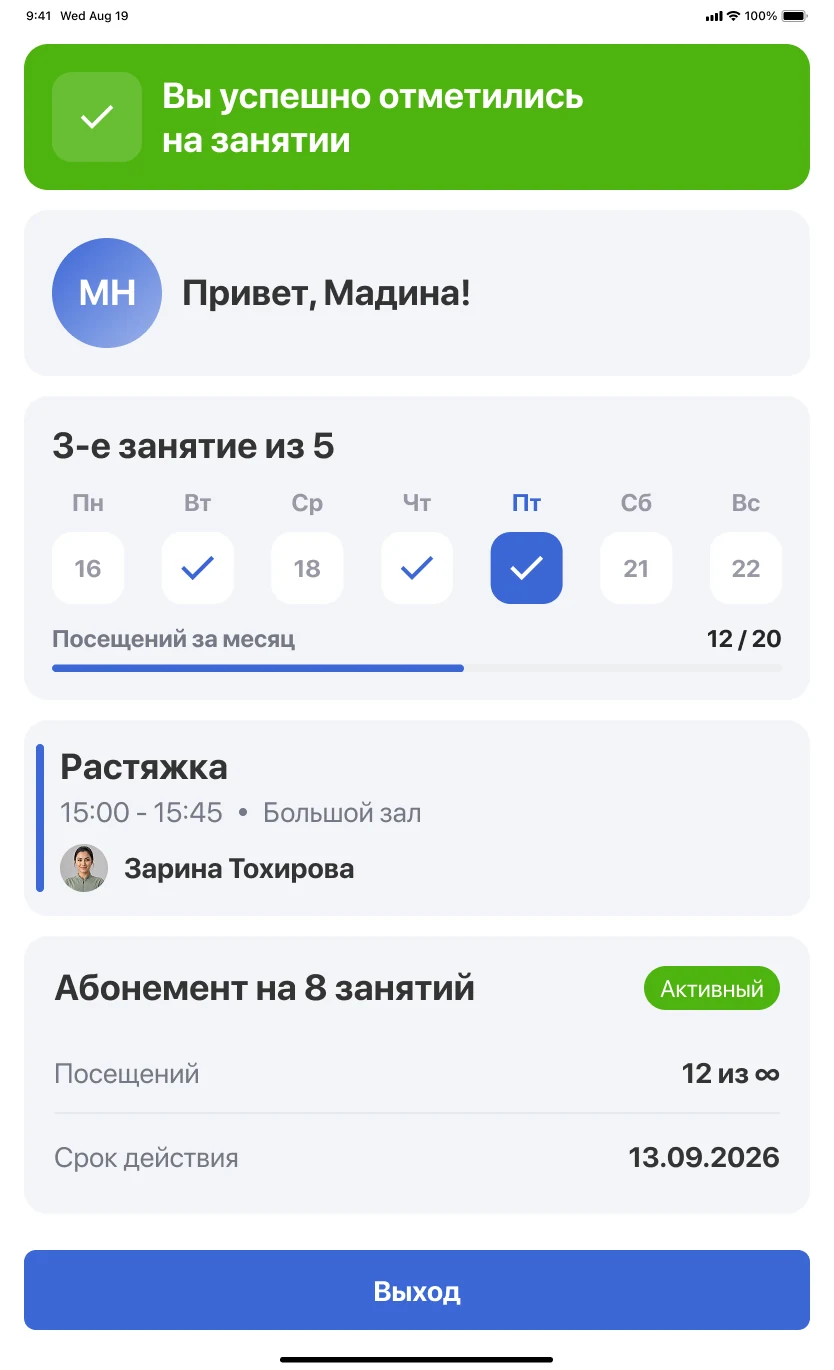
A sample entry. Nobody is marked by hand, so attendance in reports matches what happened at the door.
FitBase Click screen in the client app: a “You have checked in” confirmation, attendance marks by weekday, the upcoming class and the membership
The client checked in on their own: the system confirmed entry, counted the class and showed how many visits are left on the membership. Data on the screenshot is demo data.

Check-in in a second

The person confirms arrival themselves, from the phone or on a screen at the entrance. The front desk is freed for those who actually need a human.

  • Self check-in at the entrance
  • Works together with access control and the turnstile
  • Dynamic QR code instead of biometrics
  • Entry log for every client

Honest attendance

When the administrator backfills the marks, the statistics lie. With FitBase Click you see who actually came: and which classes are alive.

  • Real load of classes and halls
  • Trainer pay by actual visits
  • Dormant clients visible at once
  • Data reaches analytics without manual entry

Included in the Pro plan

FitBase Click comes with the Pro plan alongside the open API, BI dashboard and the smart loyalty program.

  • Available on the Pro plan
  • Works with Sigur and Akuvox access control
  • No extra hardware at the entrance
  • Configured to your club's scenarios

Why manual marking lies

When the administrator marks visits, part of them get lost at rush hour and part are backfilled. On such data you can't calculate hall load, trainer pay or churn. Self check-in removes the human from that chain.

  • Real load of classes and halls
  • Trainer pay by actual visits
  • Dormant clients visible at once
  • No extra hardware at the entrance

Works together with the turnstile

FitBase Click doesn't replace access control; it covers the cases where there is no turnstile or none is needed: the group hall, the kids' zone, a second location without hardware. Where a turnstile stands, the check-in and the entry count as one event, not two separate records.

  • Works with Sigur and Akuvox access control
  • Dynamic QR code instead of biometrics
  • No hardware needed at the entrance
  • Available on the Pro plan

7 days free.
No card, no obligations

We migrate your base from Excel and other CRMs. Team training and manager support are free.

For example: +998 90 123-45-67