
English
Book a demo

Online schedule and booking

The client sees the class grid and free seats and books themselves in the app or on the club website. The front desk stops taking calls just to make a booking.

Weekly class grid 9 / 12 classes in the grid
  • Free
  • Seats left
  • Full
A sample grid. The client sees free seats and books themselves; a full group sends the next people to the waitlist.
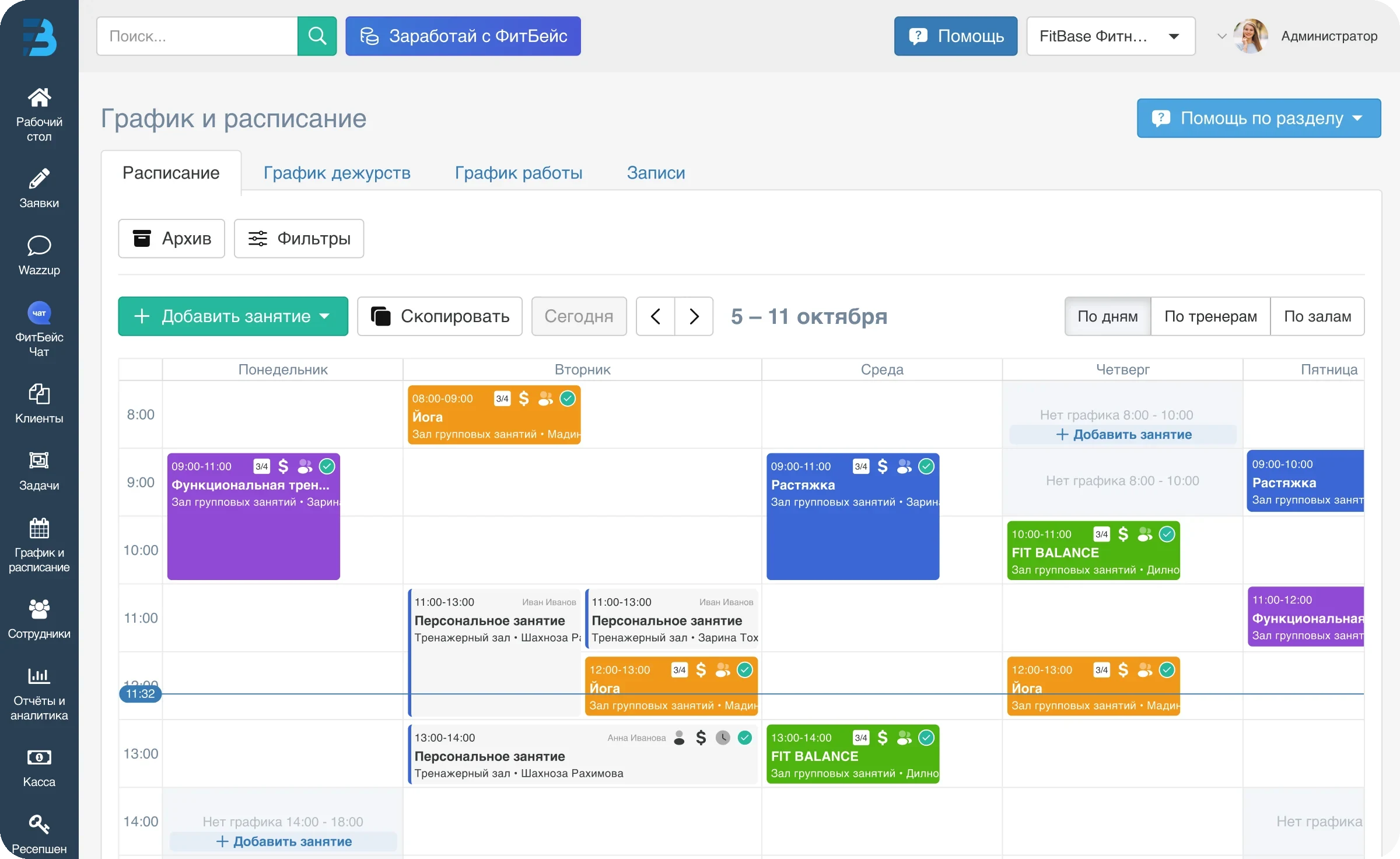
Weekly schedule in FitBase: classes by day and hour, room and trainer in every slot, counter of seats taken
A full week: group and personal classes, the room, the trainer and how many seats are already taken. Data on the screenshot is demo data.

Grid of classes, halls and trainers

Group classes, personal training and hall rental live in one schedule. You see the load of every hall and every trainer.

  • Schedule by halls and programs
  • Group seat limits and a waitlist
  • Personal training in the same grid
  • Online rental module for the website and the app

Booking without the front desk

The client books a seat around the clock and reschedules or cancels by your club's rules.

  • One-tap booking in the app
  • Cancellation and rescheduling by club rules
  • Payment at booking
  • A reminder before the class starts

A widget for your website

The schedule and booking embed into the club website. The person doesn't leave for a third-party service and books right where they found you.

  • Schedule widget for the website
  • Client account widget with login
  • Online payment for memberships and services
  • One base shared with the app and the cash desk

You set the cancellation rules

How many hours before the class a booking can be cancelled, whether a no-show burns the session, whether rescheduling is allowed: the rules are set once and then work without the administrator. The argument about who warned whom is settled by the profile history, not by memory.

  • Cancellation and rescheduling window in hours
  • Session burns on a no-show
  • Waitlist for full groups
  • Booking history in the client profile

Booking lives with the membership

The schedule is not a separate tool but part of the same system. When a client books, the system already knows whether they have an active membership, how many sessions are left and whether it is frozen. So a booking without payment doesn't pass, and the session is deducted automatically.

  • Remaining sessions visible at booking
  • Booking closed if the membership is frozen
  • Payment at booking via Atmos
  • Attendance check-in deducts the session

7 days free.
No card, no obligations

We migrate your base from Excel and other CRMs. Team training and manager support are free.

For example: +998 90 123-45-67